Drawings and revisions
Issue a drawing once. The RFI, the ITP step, the pour, every crew phone and Friday's client report know the same minute.
Jobs, program, drawings, RFIs and reporting on one record for each job, in your own brand, so a change made once reaches everyone on site.
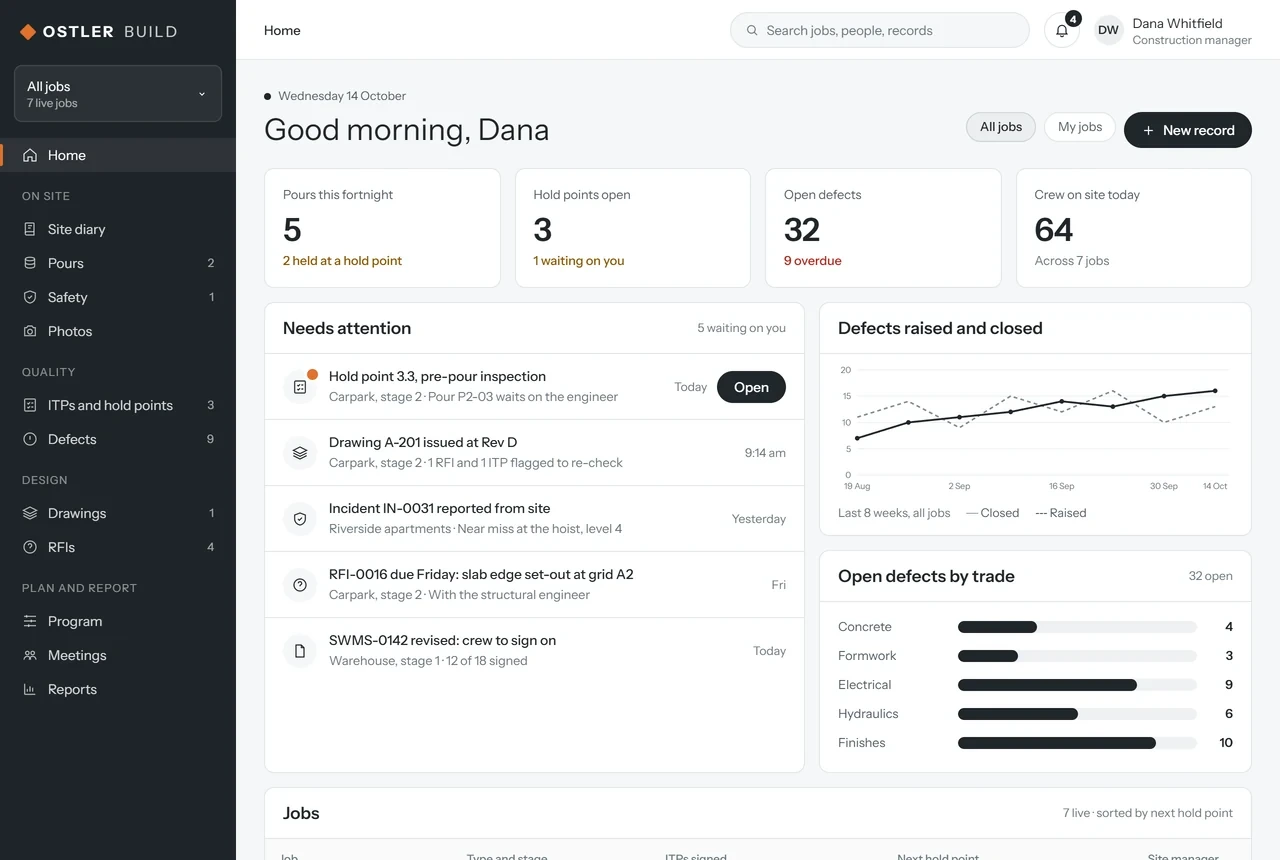
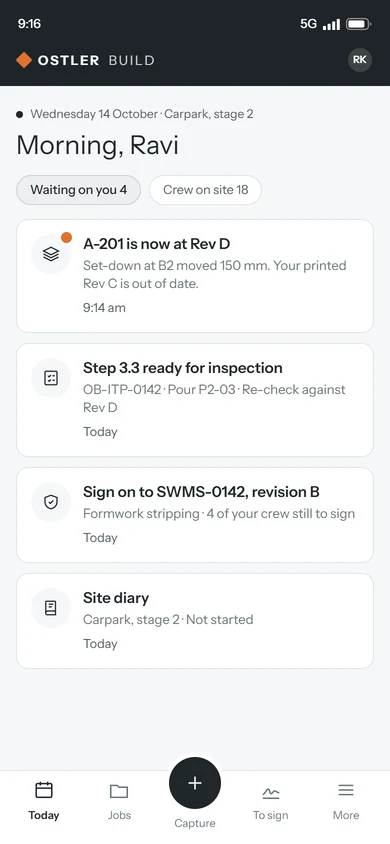
Below: Ostler Build, a fictional builder. Dana's home screen in the office, and Ravi's phone on site.
On most commercial jobs a drawing revision is issued in one place, RFIs are tracked in another, and the ITP for the next pour lives in a folder or an app of its own. Every change is handled once for each place the job lives, and the one place that misses it is usually the slab crew's phone.
Your platform keeps one record for each job. When Ostler Build issues drawing A-201 at Rev D, the RFI about the slab edge at grid A2 is flagged to check against it, step 3.3 of the pre-pour ITP for pour P2-03 is set to re-check, every crew phone shows the new revision, and Friday's client report lists the change.
Most of this comes in the standard modules. Tailored sets up your own forms, numbering and reports, and Custom builds what is particular to how you run. These are the parts Ostler Build runs on.
Issue a drawing once. The RFI, the ITP step, the pour, every crew phone and Friday's client report know the same minute.
A step stays shut until the right person signs, so nobody pours to an old revision.
Friday's client report is drafted from the week's records for you to check, so nobody copies a number into a template.
Engineers, consultants and clients sign from a link that expires. No account needed.
Raised and closed from site, and counted by trade on the home screen, so the open ones are never a surprise at completion.
Dana sees what is waiting on her across every job; Ravi sees his pour, his hold points and his crew.
Ostler runs its jobs its own way: how a pour is booked, how the program moves, what goes in Friday's report to the client. Its platform does the same, so the site and the office work from one record they already understand.
Start from your website: your system appears in your brand, five questions pick the modules, and every price is on the page. When you need your own forms or something built around how you run, Luca sets up Tailored or Custom with you.
Show my systemLots released by chainage, test results and dockets on the phone.
Software for civil contractorsRooms ready level by level, walkthroughs booked with the client.
Software for fit-out companiesWhen an off-the-shelf product fits better, and when it does not.
Read the guideType it in and your system appears in your own brand. Five questions set it up, with every price and a live total.